Bókun Tide · May '26
Introducing our new product release series
The May Bókun Tide is here — the first release in our new product series. Five new ways to grow your experiences business, all in one place.
-
New product releases, designed around your day-to-day
-
Built with operator feedback, not assumption
-
More Bókun Tides coming on a regular cadence

First time hearing about Bókun Tide?
What's Bókun Tide?
From now on, instead of announcing features one by one, we bundle our latest updates into a single named release moment — the Bókun Tide. So you see what's new in one place, with demos and walkthroughs.
-
Hear it first-hand — live demos and Q&A from the team that built each feature
-
Built around you — every release starts with operator feedback
-
Regular cadence — more Tides will follow, so you can plan

New & improved Calendar
Schedule faster than ever before.
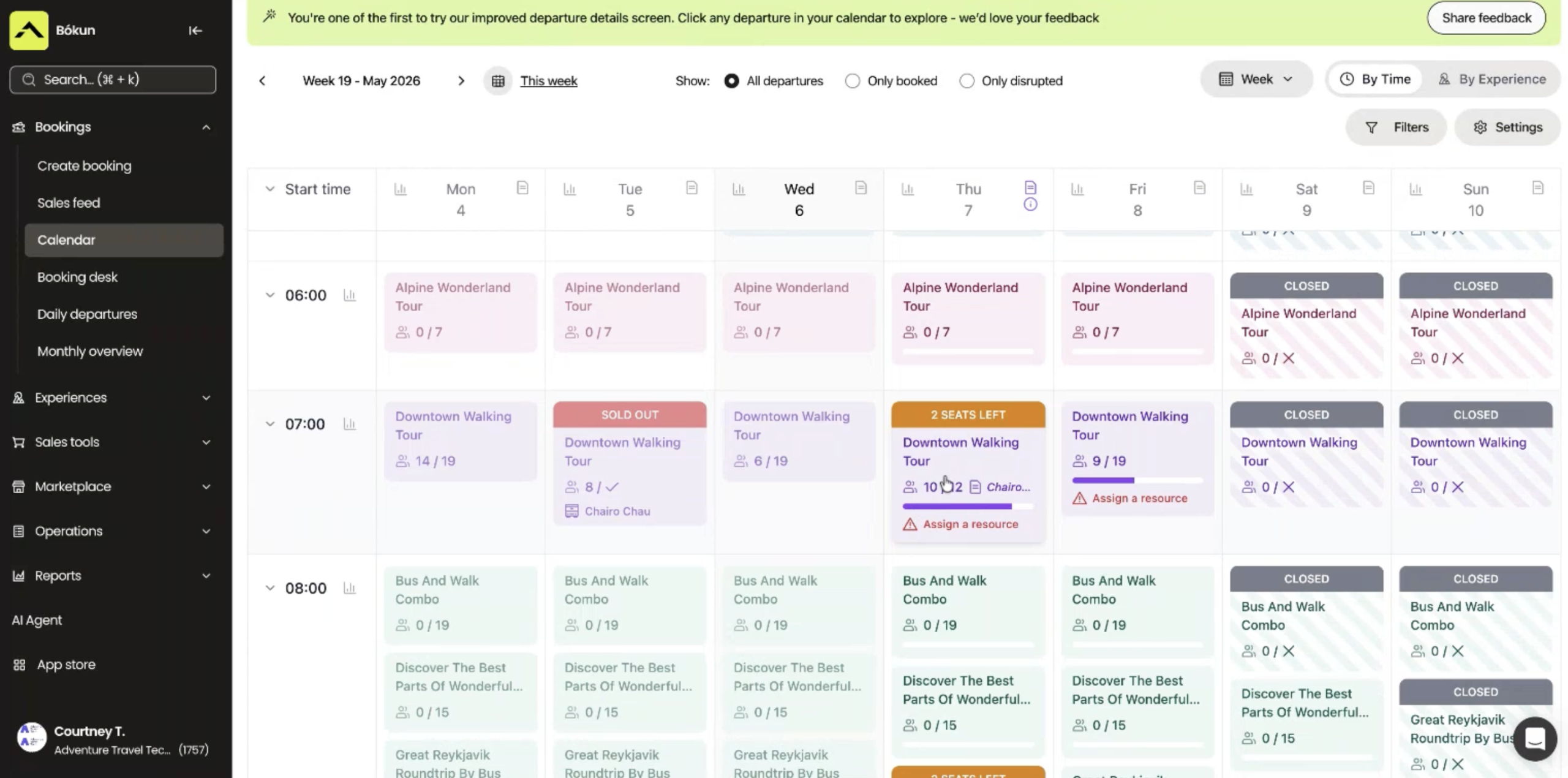
20+ updates to the Calendar. Built so your team can run a busy day without losing the plot.
-
Quick actions for resources, drivers, payments and check-ins — all in one place
-
Booking source, customer email and phone visible at a glance
-
Departure notes, closeout reasons and a full activity log in one view

AI Product Importer
Get products live in minutes.
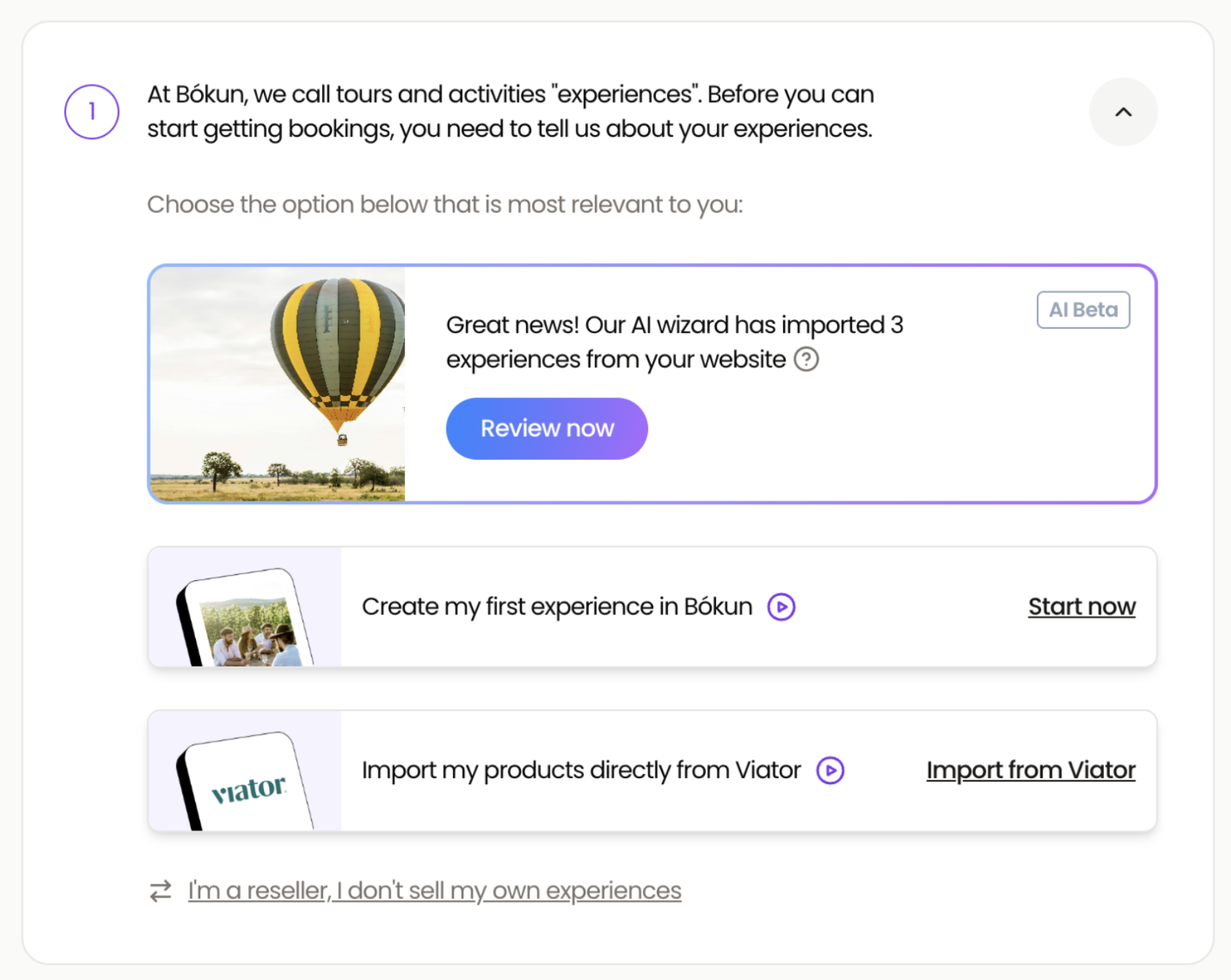
Sign up, point it at your website, and your catalogue's already there. No copy-pasting. No data entry. No guesswork.
-
Imports your existing products from your website automatically
-
Selling-ready out of the box — no copy-pasting, no data entry
-
Save hours every time you launch something new

New product creation flow + AI Descriptions
Build products without writing a word.
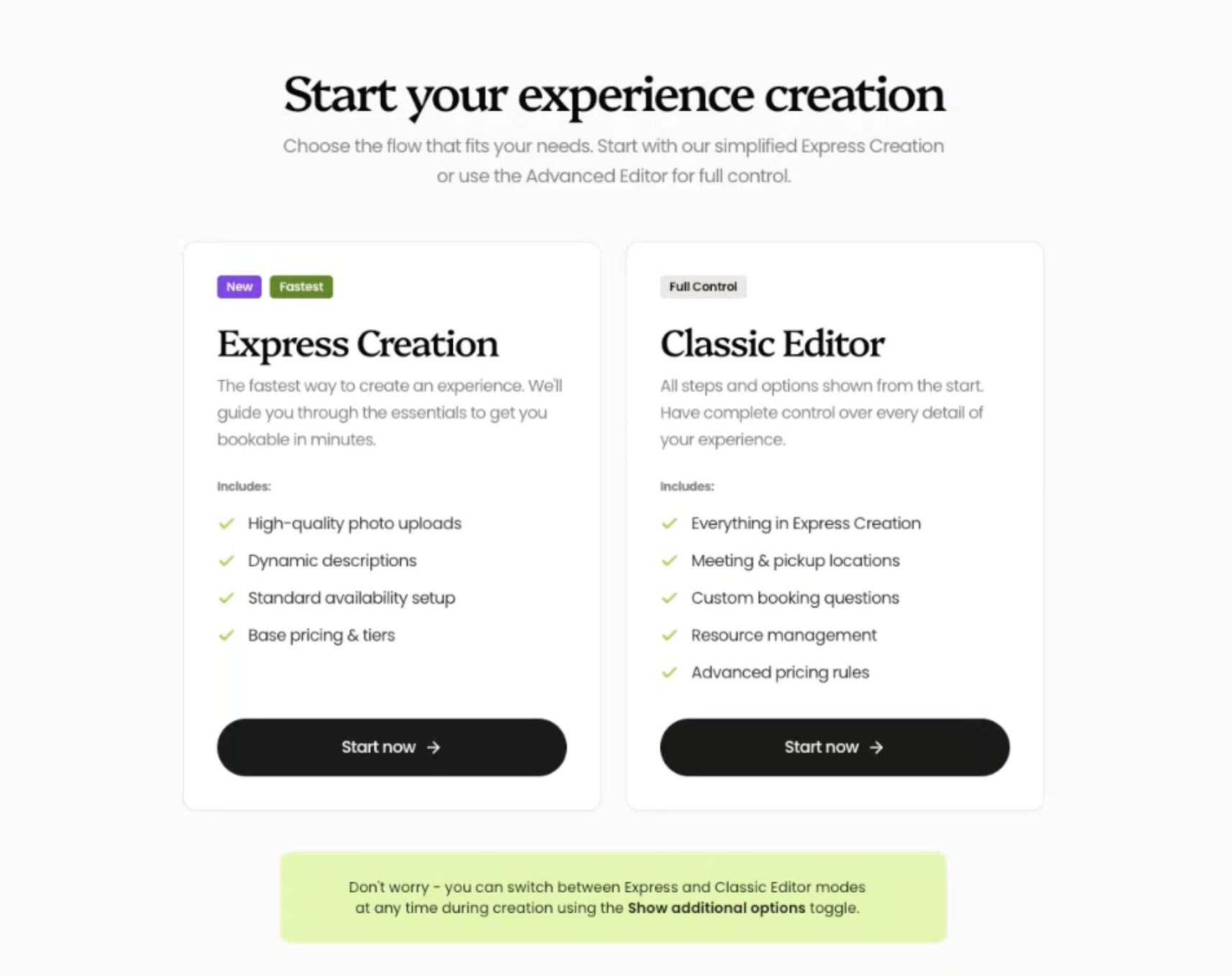
A redesigned creation flow gets you live faster. AI Descriptions writes the copy for you — so you stand out on every channel without spending hours on it.
-
Cleaner flow with smarter defaults at every step
-
AI Descriptions writes your product copy for you
-
More time on experiences. Less on admin.
New PayPal integration
Convert more at checkout.
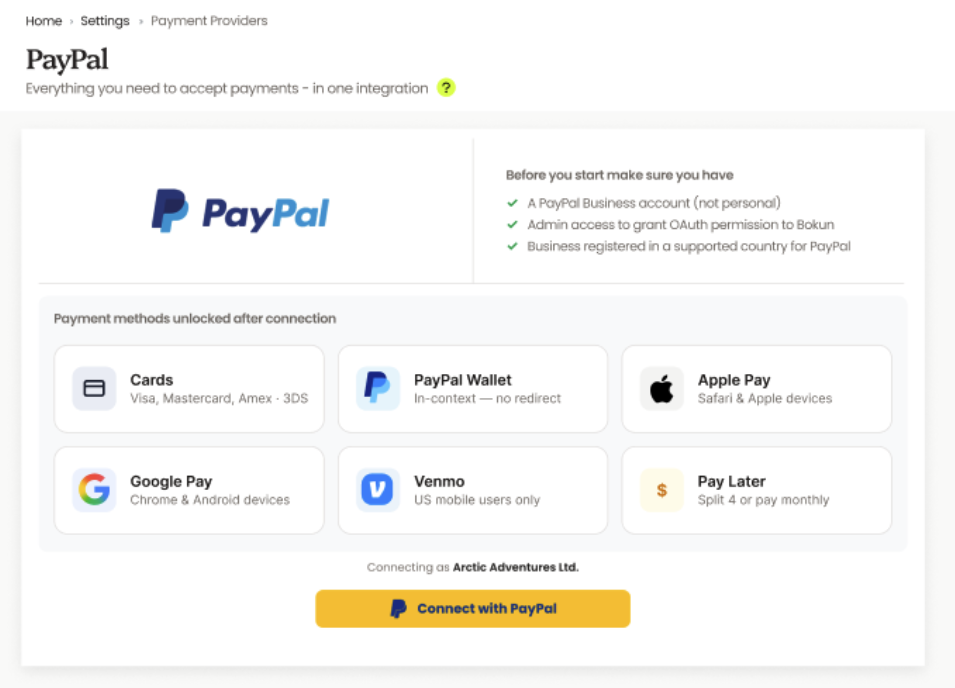
A redesigned PayPal checkout, with the wallets your travellers already use. Fewer drop-offs. More bookings.
-
Apple Pay, Google Pay, Venmo and Pay Later — built in
-
Faster checkout, higher conversion
-
2-minute setup from your Bókun dashboard
Pricing Sync with Viator
Save hours on pricing.
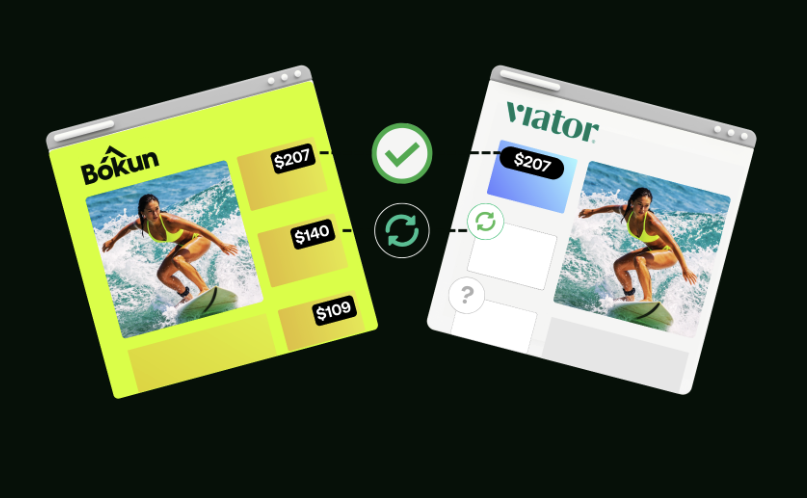
Set your pricing and schedule in Bókun, and it flows straight to Viator. No more manual updates. No more mismatches.
-
Pricing and schedule changes flow straight to Viator
-
One toggle to switch on, in the Viator Supplier Management Center
-
Fewer errors. Less admin. More selling.
Viator experiences inside AI assistants
Reach new audiences.
Travellers are planning trips by chatting with AI. Your Viator-listed experiences are now part of that conversation — surfacing when travellers ask Claude or Alexa+ for things to do.
-
Recommended inside Claude.ai conversations and Alexa+ travel planning
-
Surfaced with Tripadvisor reviews, ratings and photos
-
Make sure your content is up to date and refreshed
Want the full walkthrough?
Watch the product release webinar recording
Demos and live Q&A with the team that built each feature in the Bókun May Tide.
FAQs
What is a Bókun Tide?
It’s our new product release moment — a regular cadence where we bundle our latest features, improvements and innovations into one named release. Less chasing changelogs. More “look what’s new in Bókun” in one place.
How often will Bókun Tides happen?
We’re calibrating the rhythm now — expect a regular cadence with plenty of notice ahead of each one.
What's coming in the next Bókun Tide?
We’ll share specifics closer to the next release but expect exciting updates!
Where can I rewatch the webinar?
The replay video is just above these FAQs. If you registered, you’ll also have it in your inbox.
Who is it available to?
AI Product Importer is currently available to new customers signing up via Google or email with a valid website URL.
